W*t Dream of a Motor Design Engineer
DXF-based motor optimization — hand the software a drawing and let it explore.
We've all seen this meme, haven't we?

If you've ever designed an electric motor, you probably know the feeling. You change the magnet angle, run a simulation, check the back EMF and torque ripple, change a few dimensions, and run it again. Then you realize that a slightly different rotor geometry might work better — and the process starts all over.
But the real question is: is it the best geometry that can be designed for that motor? Could some oddly shaped flux barrier, a slightly different offset, or a slightly different magnet angle improve the design? What if you could just hand the software a motor drawing, specify what you want to improve, and let it explore different geometries? That is the idea behind our new DXF-based motor optimization tool.
Why optimize a non-parametric motor?
In our previous blog on optimization, we discussed how optimization works when a motor is defined using parameters in a .mds file. But not every motor geometry is parameterized. Sometimes you've already designed a custom feature — like a flux barrier — in CAD and exported it as a DXF, and you want to investigate whether changing it slightly, or introducing more flux barriers, could improve performance.
The challenge is that a conventional parameter-based workflow requires you to define those geometric changes as parameters before the optimizer can use them. What if you could work directly with the DXF instead?
From DXF to optimization
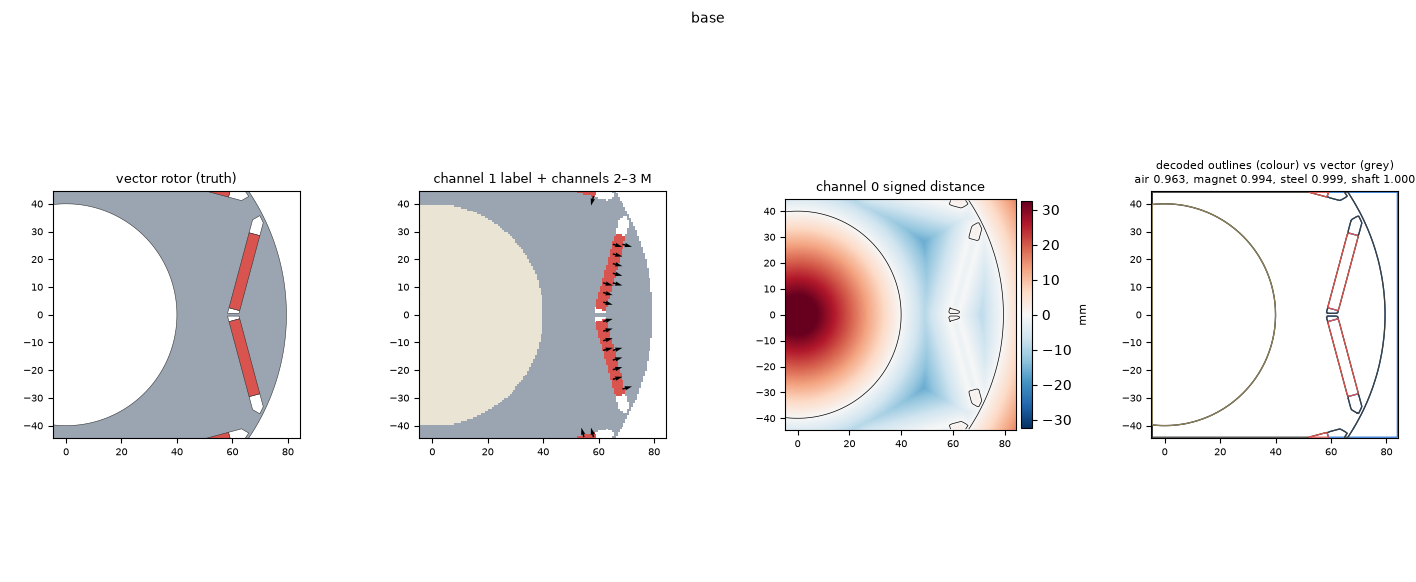
The new tool takes a different approach. Instead of requiring the entire geometry to be defined through parameters in an .mds file, it starts with a DXF drawing. The geometry is parsed using an SDF (signed distance field) representation, which lets the tool work with the drawing and modify selected geometric features.
The optimization workflow then uses the same general approach as our existing optimizer: FEA provides the simulation results, a reduced-order model (ROM) approximates motor performance, and an optimization algorithm searches for promising designs. The difference is how the geometry is defined and modified — rather than simply changing existing parameters, the goal is to let the optimizer explore changes directly to the geometry represented by the DXF.
What can it do today?
The tool is still in its early stages, but the first parts of the workflow are already working. For example, we can automatically change geometric parameters like the V-angle and magnet thickness, add or remove layers of magnets, and add standard circular and elliptical flux barriers.
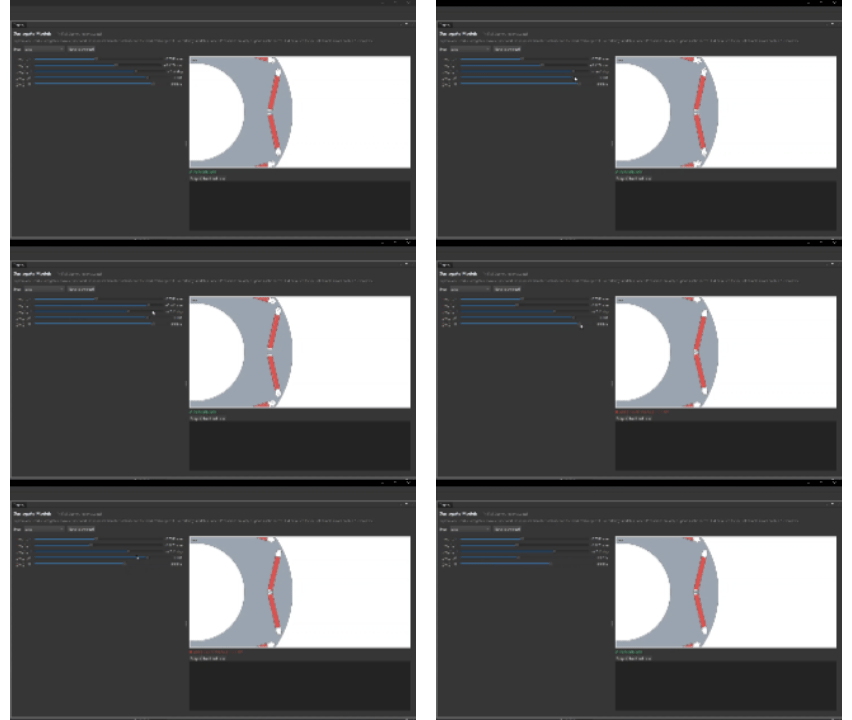
This is an important first step. Even changing one or two geometric parameters can create a large number of possible designs, and evaluating every combination manually quickly becomes time-consuming. By combining geometry changes with FEA, ROMs and optimization algorithms, we can start exploring those possibilities systematically. As with any optimization workflow, the objective is not simply to generate different geometries — the designs still need to satisfy the specified constraints and deliver the performance we want.
What does the future look like?
The current prototype is only the beginning. The longer-term goal is to let the optimizer explore more substantial changes to the geometry, rather than being limited to a small set of predefined parameters. Future development will include the ability to introduce non-standard geometry changes — like adding a complicated flux barrier at different locations and reshaping it based on results.
This opens up some interesting possibilities. Imagine starting with a basic IPM motor drawing and asking the optimizer to investigate different V-angles, rotor dimensions and flux-barrier arrangements while trying to maximize torque, reduce torque ripple, improve back EMF, or minimize magnet weight. Instead of manually creating and simulating every variation, you could let the software explore a range of candidate designs and then inspect the most promising results.
The optimizer would not replace engineering judgment — you'd still choose sensible constraints, check the resulting geometries, and validate the final designs. But it could help uncover configurations you might not have considered manually.
The bigger picture
Motor optimization is not just about finding the best values for a few parameters — it's also about making it easier to explore different design possibilities. A parameterized model is useful when the geometry and its design variables are already well defined. A DXF-based approach offers another route when you want to start from an existing drawing and progressively introduce more freedom into the geometry.
That's what we're working toward with this tool: making motor geometry exploration more accessible, and empowering users to explore new designs freely. There's still plenty of development ahead, but the first steps are working — and I'm looking forward to seeing how far we can take this.
Have a motor geometry you'd like to optimize?
We'd love to help you optimize the geometries of motors you already have, or integrate your particular use case into our next release. If that sounds useful, write to us at [email protected].
← Back to all articles